 SynthPrism
Click through SynthPrism before you sign up
Four real screens from the app, one step at a time. No signup and no email needed.
Screens from our QA test brand, Visual Verify. Every post, account and handle on them is test data, not a customer.
Step 1 of 4
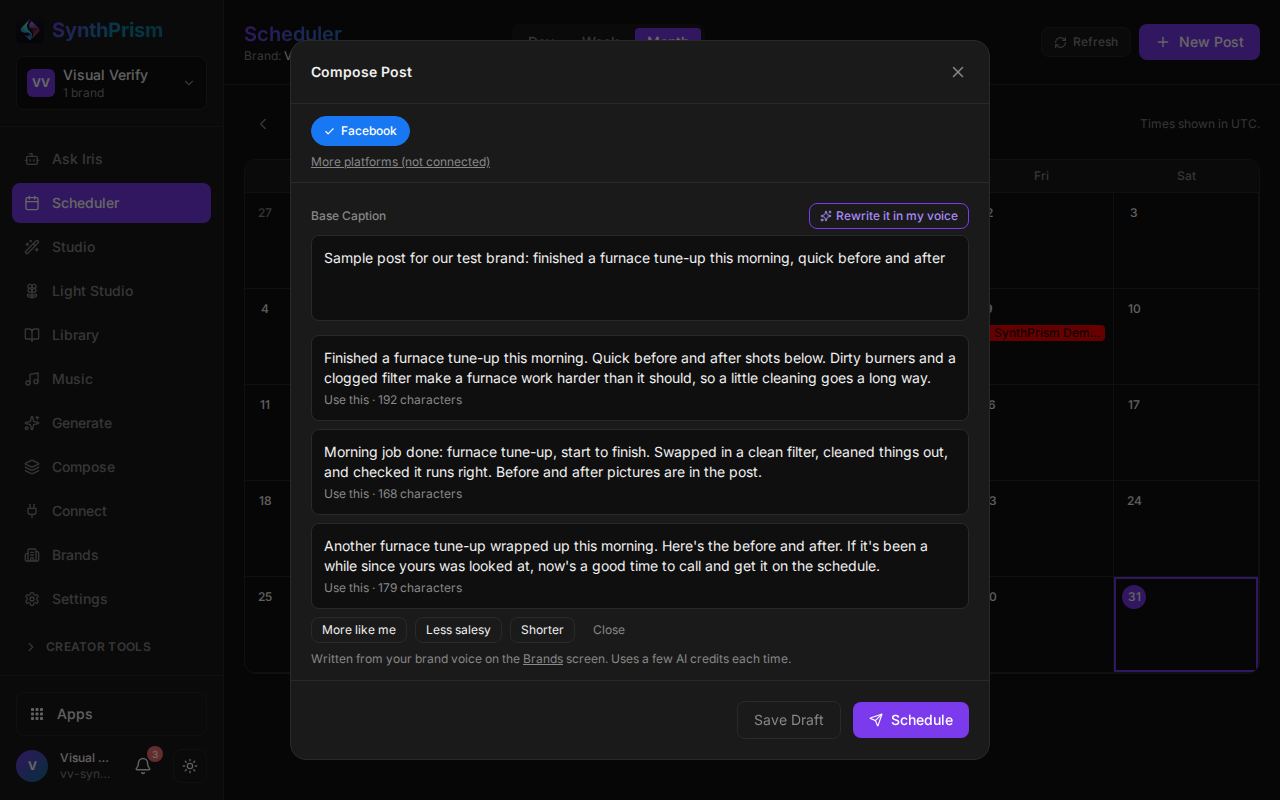
Write a post with AI
Type a few words about the job and press Write it. SynthPrism drafts three captions in the brand voice you saved, and you pick one, edit it, or ask for one that is shorter or less salesy.
Step 2 of 4
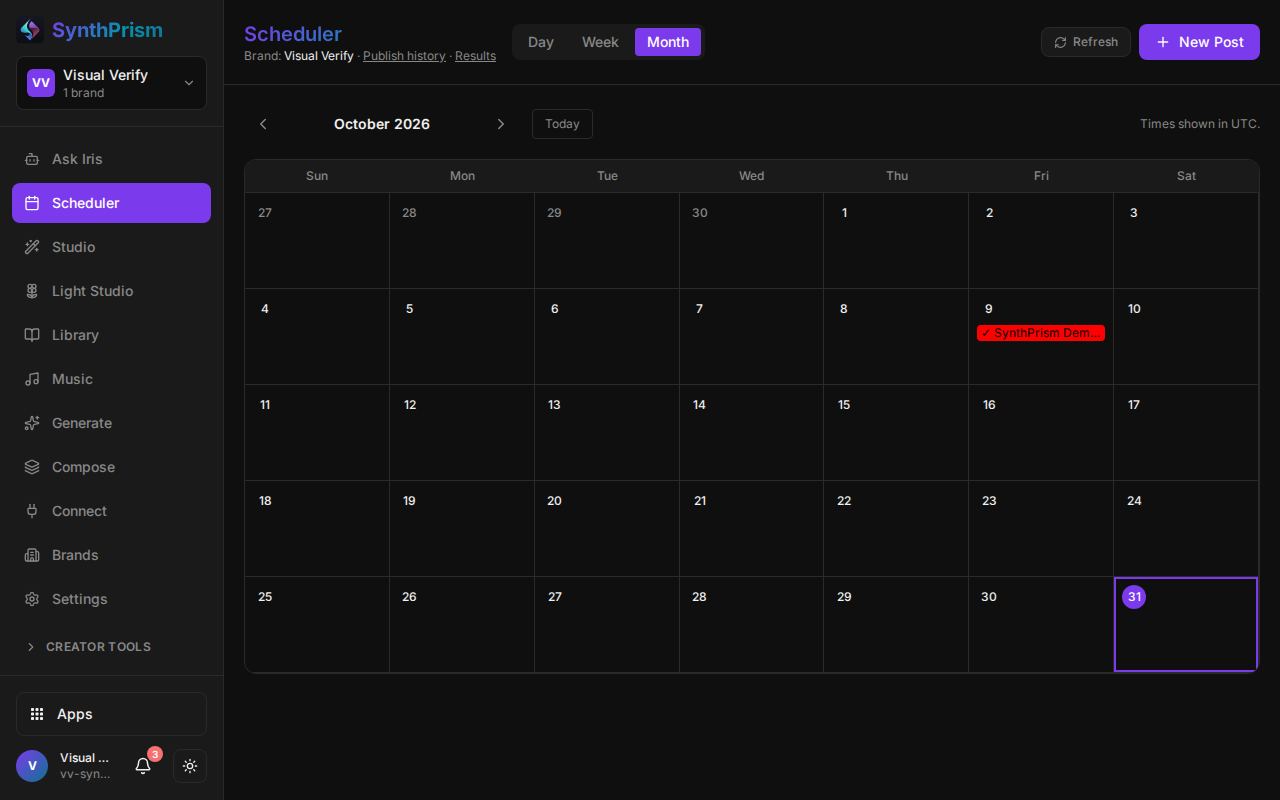
Every post on one calendar
Day, week and month views of everything scheduled and published for a brand. Nothing goes out until you schedule it, and New Post starts from any day.
Step 3 of 4
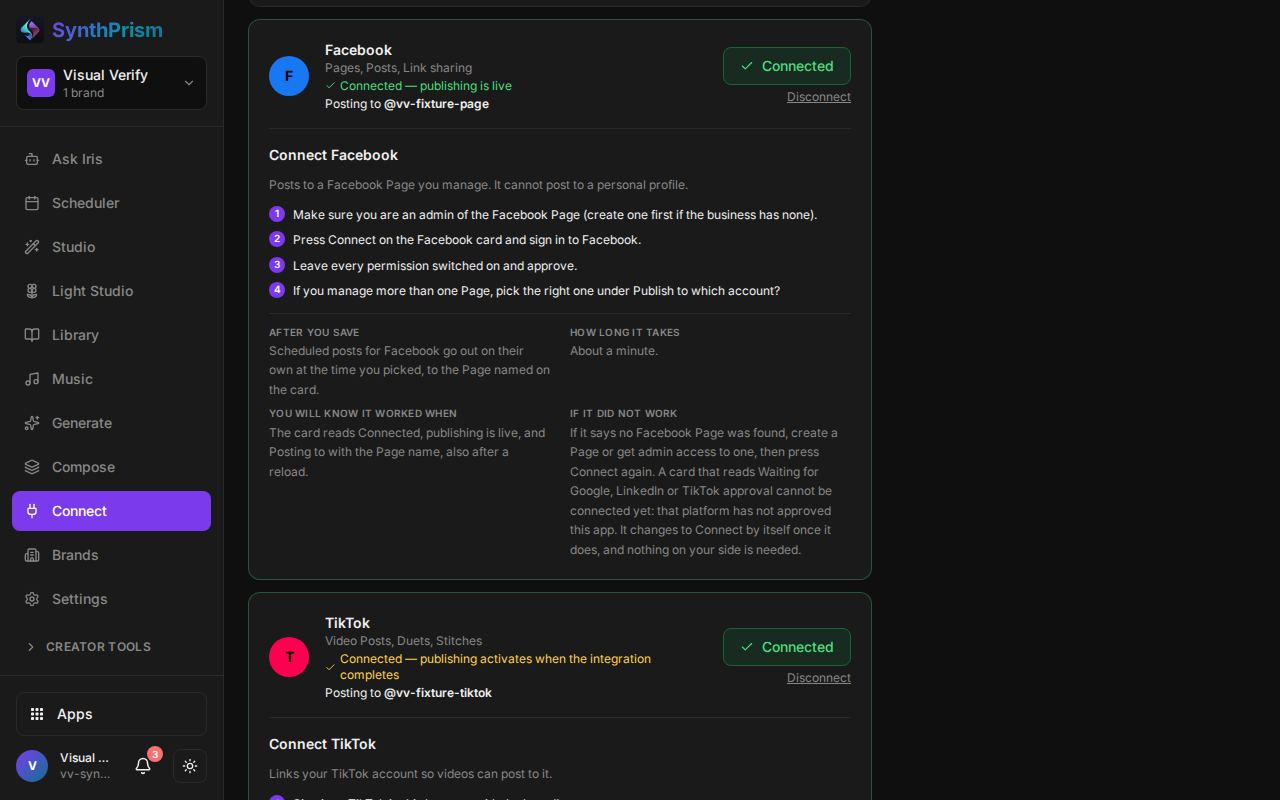
Your channels, connected once
Connect Instagram, Facebook, Bluesky, Pinterest and more for each brand. Each card says whether it is connected and which account it posts to, with the steps to connect it.
Step 4 of 4
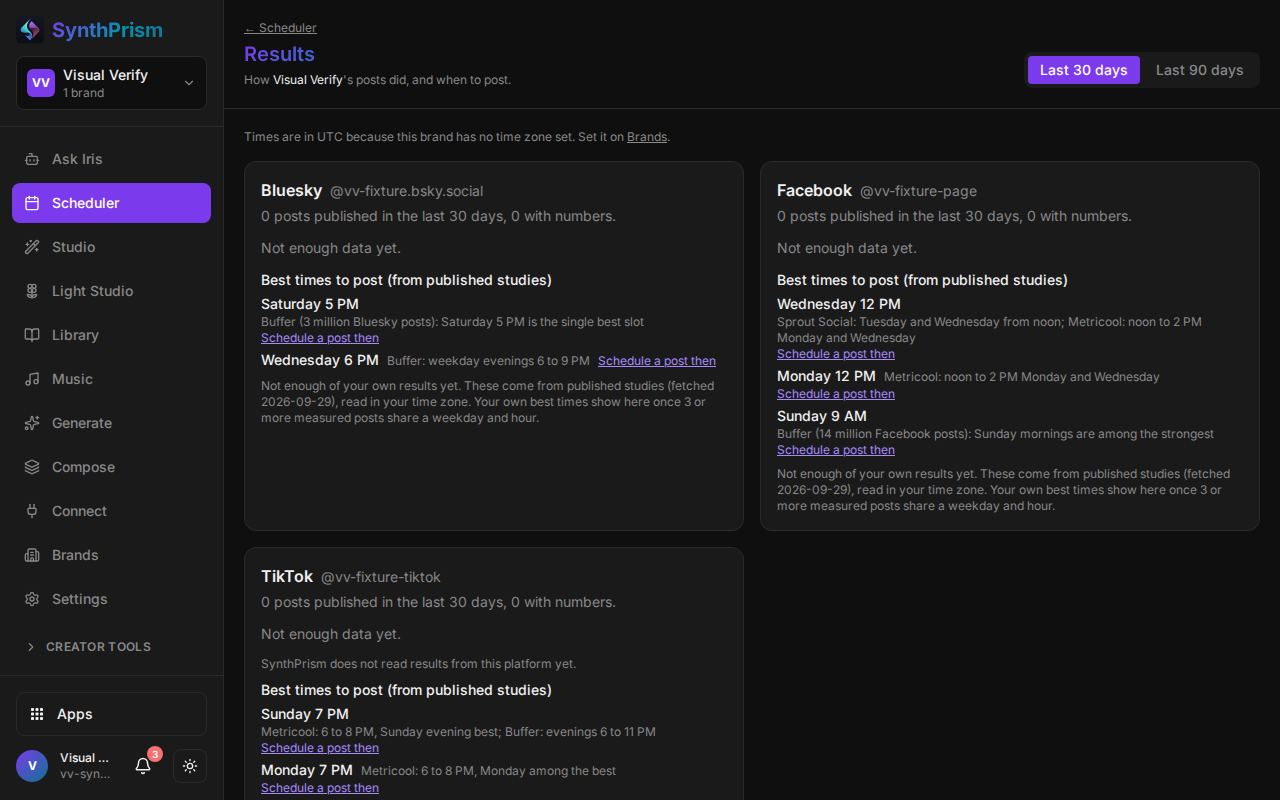
See what worked and when to post
Results show how each channel's posts did. Until a brand has enough posts of its own, the best times come from published studies, and the screen says which is which.
See it on a business like yours
A 15-minute walkthrough of SynthPrism and the apps around it, with Mycel as the brain. Or start free and look around first.
Free plan, no card needed.